Instead of running ESLint on the command line and passing files to it, I wanted to require() and use it with code from strings. That is because I want to lint and unit-test the code from the book I write in AsciiDoc. (Will post the complete script once it's running properly, some taste)
Had to jump through a few hoops, so here it is for the posterity (where posterity = me, next month)
Install
$ npm install eslint --save-dev
Create a configuration file
This one always trips me up. ESLint's binary has an `--init` option now that takes care of this and I tried it, but the generated "standard" file was missing rules, etc, so I abandoned the idea in favor of creating am .eslintrc.json file in my directory with this content:
{
    "extends": [
        "eslint:recommended"
    ]
}
The code
const CLIEngine = require('eslint').CLIEngine;
const cli = new CLIEngine({
  parserOptions: {
    ecmaVersion: 6,
  },
  rules: {
    'no-unused-vars': 'off',
  }
});

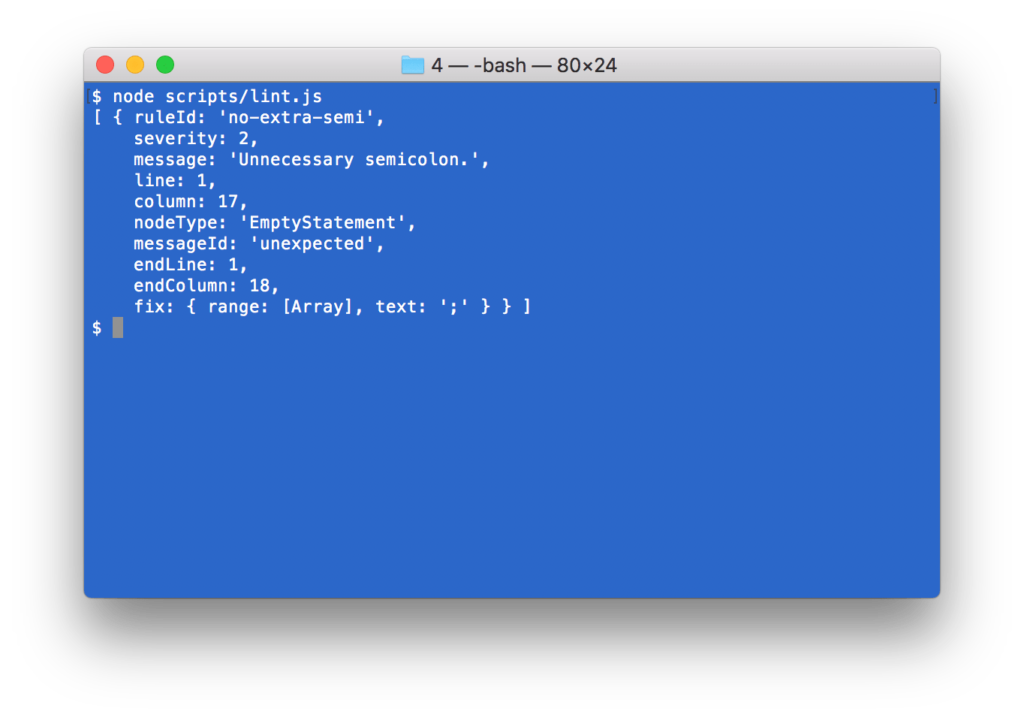
const report = cli.executeOnText("let foo = 'bar';;").results[0];

if (report.errorCount) {
  console.log(report.messages);
} else {
  console.log('No errors');
}
In action:
A note about the two config options passed to the constructor:
parserOptionslets me use more modern syntaxrulesis just an example of how to zap some rules
Happy ESLinting!
Comments? Find me on BlueSky, Mastodon, LinkedIn, Threads, Twitter




