This post is another installment of the series dedicated to building sightread.org. Parts 1, 2, 3, 4, 5.
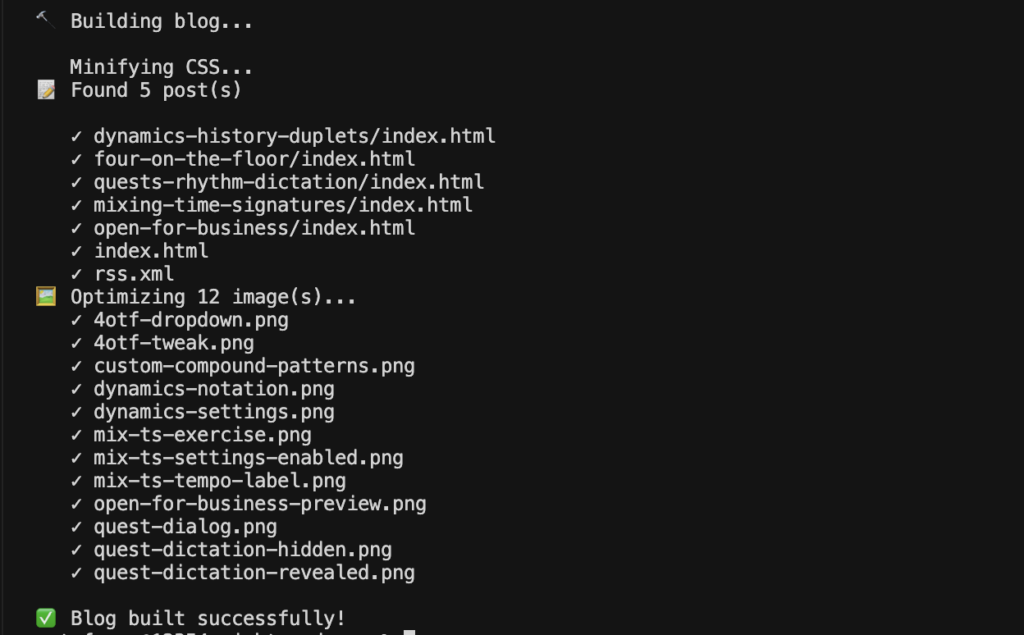
When I was writing the last blog post, it occurred to me that I'm still optimizing images by hand. I think dropping images into ImageOptim is a second nature for me. So I decided to update my build script. (blogging-driven development, or BDD, if you will)
I promptly prompted Cursor to add simple image optimization to the build script. With a little bit of (minimum viable) handholding, here is the result.
// Optimize images losslessly
function optimizeImages() {
  const imgDir = join(OUT_DIR, 'img');
  if (!existsSync(imgDir)) return;

  const images = readdirSync(imgDir).filter(f => /\.(png|jpg|jpeg)$/i.test(f));
  if (!images.length) return;

  console.log(`Optimizing ${images.length} image(s)...`);

  for (const img of images) {
    const imgPath = join(imgDir, img);
    try {
      if (img.toLowerCase().endsWith('.png')) {
        // oxipng: fast, lossless PNG optimizer (install: brew install oxipng)
        execSync(`oxipng -o 4 --strip safe "${imgPath}"`, { stdio: 'pipe' });
      } else {
        // mozjpeg: optimized JPEG encoder (install: brew install mozjpeg)
        const mozjpeg = '/opt/homebrew/opt/mozjpeg/bin/cjpeg';
        execSync(`${mozjpeg} -quality 80 -optimize -outfile "${imgPath}" "${imgPath}"`, { stdio: 'pipe' });
      }
      console.log(`${img}`);
    } catch (error) {
      console.log(`${img} (optimizer not found or failed)`);
    }
  }
}
One tool to losslessly optimize PNGs and one to to optimize JPEGs.
Is it perfect? Does it use the latest WebP, jpeg-xl, avif? Does it serve the appropriate image file based on browser support? None of the above. But it's dead simple, can be changed at any time, and in the spirit of 80/20 it's just perfect for me. Smush.it style!
And the process was complete in less time than it would take me to just fill up the sign-up form for a free CDN.
Comments? Find me on BlueSky, Mastodon, LinkedIn, Threads, Twitter




