This post is a demo of what the imagefilter() PHP function can do for you.
The Original
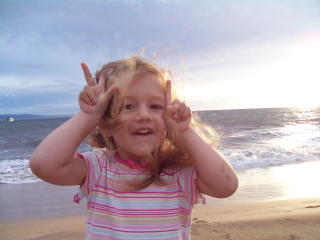
imagefilter() called with different filter constants
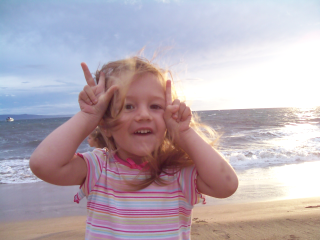
Filter: IMG_FILTER_BRIGHTNESS
Code to reproduce:
<?php

$image = imagecreatefrompng('nathalie.png');

imagefilter($image, IMG_FILTER_BRIGHTNESS, 5);

imagepng($image, 'img_filter_brightness_5.png');

imagedestroy($image);

?>
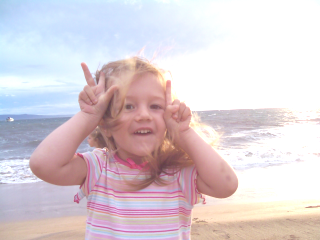
Filter: IMG_FILTER_BRIGHTNESS
Code to reproduce:
<?php

$image = imagecreatefrompng('nathalie.png');

imagefilter($image, IMG_FILTER_BRIGHTNESS, 50);

imagepng($image, 'img_filter_brightness_50.png');

imagedestroy($image);

?>

Filter: IMG_FILTER_BRIGHTNESS
Code to reproduce:
<?php

$image = imagecreatefrompng('nathalie.png');

imagefilter($image, IMG_FILTER_BRIGHTNESS, 100);

imagepng($image, 'img_filter_brightness_100.png');

imagedestroy($image);

?>
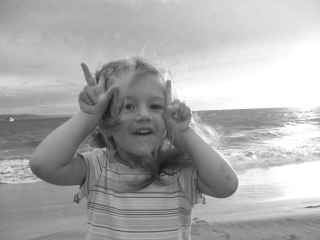
Filter: IMG_FILTER_GRAYSCALE
Code to reproduce:
<?php

$image = imagecreatefrompng('nathalie.png');

imagefilter($image, IMG_FILTER_GRAYSCALE);

imagepng($image, 'img_filter_grayscale.png');

imagedestroy($image);

?>
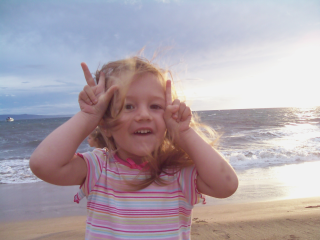
Filter: IMG_FILTER_CONTRAST
Code to reproduce:
<?php

$image = imagecreatefrompng('nathalie.png');

imagefilter($image, IMG_FILTER_CONTRAST, 5);

imagepng($image, 'img_filter_contrast_5.png');

imagedestroy($image);

?>
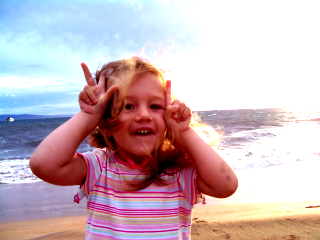
Filter: IMG_FILTER_CONTRAST
Code to reproduce:
<?php

$image = imagecreatefrompng('nathalie.png');

imagefilter($image, IMG_FILTER_CONTRAST, -40);

imagepng($image, 'img_filter_contrast_-40.png');

imagedestroy($image);

?>

Filter: IMG_FILTER_CONTRAST
Code to reproduce:
<?php

$image = imagecreatefrompng('nathalie.png');

imagefilter($image, IMG_FILTER_CONTRAST, 50);

imagepng($image, 'img_filter_contrast_50.png');

imagedestroy($image);

?>
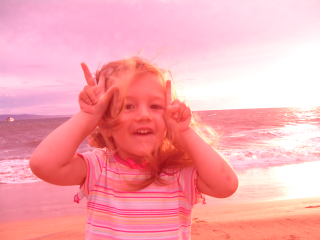
Filter: IMG_FILTER_COLORIZE
Code to reproduce:
<?php

$image = imagecreatefrompng('nathalie.png');

imagefilter($image, IMG_FILTER_COLORIZE, 100, 0, 0);

imagepng($image, 'img_filter_colorize_100_0_0.png');

imagedestroy($image);

?>
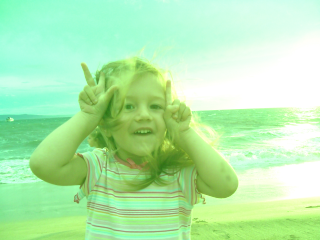
Filter: IMG_FILTER_COLORIZE
Code to reproduce:
<?php

$image = imagecreatefrompng('nathalie.png');

imagefilter($image, IMG_FILTER_COLORIZE, 0, 100, 0);

imagepng($image, 'img_filter_colorize_0_100_0.png');

imagedestroy($image);

?>
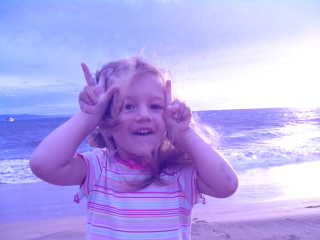
Filter: IMG_FILTER_COLORIZE
Code to reproduce:
<?php

$image = imagecreatefrompng('nathalie.png');

imagefilter($image, IMG_FILTER_COLORIZE, 0, 0, 100);

imagepng($image, 'img_filter_colorize_0_0_100.png');

imagedestroy($image);

?>
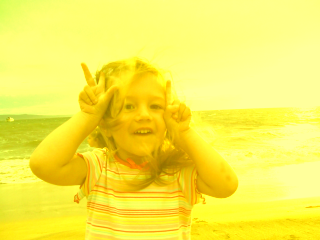
Filter: IMG_FILTER_COLORIZE
Code to reproduce:
<?php

$image = imagecreatefrompng('nathalie.png');

imagefilter($image, IMG_FILTER_COLORIZE, 100, 100, -100);

imagepng($image, 'img_filter_colorize_100_100_-100.png');

imagedestroy($image);

?>
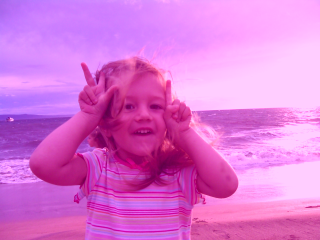
Filter: IMG_FILTER_COLORIZE
Code to reproduce:
<?php

$image = imagecreatefrompng('nathalie.png');

imagefilter($image, IMG_FILTER_COLORIZE, 50, -50, 50);

imagepng($image, 'img_filter_colorize_50_-50_50.png');

imagedestroy($image);

?>
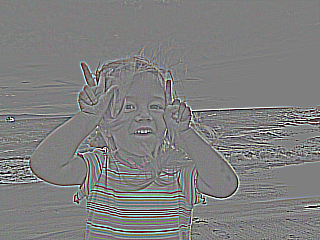
Filter: IMG_FILTER_EDGEDETECT
Code to reproduce:
<?php

$image = imagecreatefrompng('nathalie.png');

imagefilter($image, IMG_FILTER_EDGEDETECT);

imagepng($image, 'img_filter_edgedetect.png');

imagedestroy($image);

?>
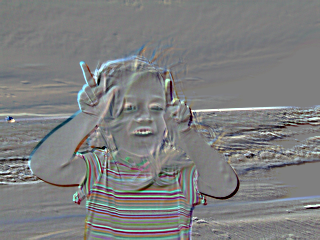
Filter: IMG_FILTER_EMBOSS
Code to reproduce:
<?php

$image = imagecreatefrompng('nathalie.png');

imagefilter($image, IMG_FILTER_EMBOSS);

imagepng($image, 'img_filter_emboss.png');

imagedestroy($image);

?>
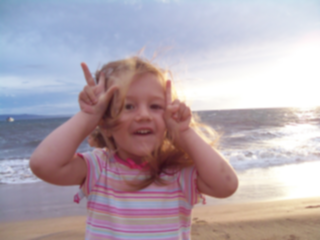
Filter: IMG_FILTER_GAUSSIAN_BLUR
Code to reproduce:
<?php

$image = imagecreatefrompng('nathalie.png');

imagefilter($image, IMG_FILTER_GAUSSIAN_BLUR);

imagepng($image, 'img_filter_gaussian_blur.png');

imagedestroy($image);

?>
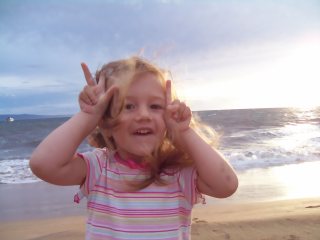
Filter: IMG_FILTER_SELECTIVE_BLUR
Code to reproduce:
<?php

$image = imagecreatefrompng('nathalie.png');

imagefilter($image, IMG_FILTER_SELECTIVE_BLUR);

imagepng($image, 'img_filter_selective_blur.png');

imagedestroy($image);

?>
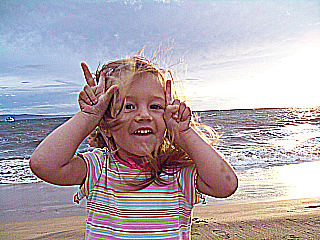
Filter: IMG_FILTER_MEAN_REMOVAL
Code to reproduce:
<?php

$image = imagecreatefrompng('nathalie.png');

imagefilter($image, IMG_FILTER_MEAN_REMOVAL);

imagepng($image, 'img_filter_mean_removal.png');

imagedestroy($image);

?>
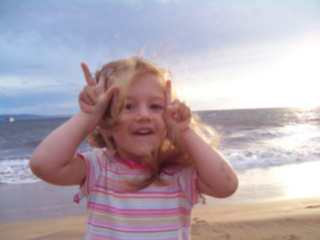
Filter: IMG_FILTER_SMOOTH
Code to reproduce:
<?php

$image = imagecreatefrompng('nathalie.png');

imagefilter($image, IMG_FILTER_SMOOTH, 5);

imagepng($image, 'img_filter_smooth_5.png');

imagedestroy($image);

?>
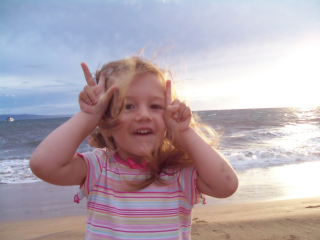
Filter: IMG_FILTER_SMOOTH
Code to reproduce:
<?php

$image = imagecreatefrompng('nathalie.png');

imagefilter($image, IMG_FILTER_SMOOTH, 50);

imagepng($image, 'img_filter_smooth_50.png');

imagedestroy($image);

?>
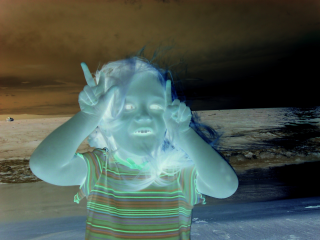
Filter: IMG_FILTER_NEGATE
Code to reproduce:
<?php

$image = imagecreatefrompng('nathalie.png');

imagefilter($image, IMG_FILTER_NEGATE);

imagepng($image, 'img_filter_negate.png');

imagedestroy($image);

?>
A lazy way to do sepia
In order to do sepia, first you do grayscale, then colorize. Here are some experiments:
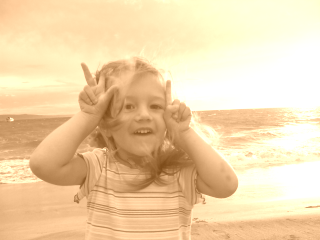
<?php

$image = imagecreatefrompng('nathalie.png');

imagefilter($image, IMG_FILTER_GRAYSCALE);

imagefilter($image, IMG_FILTER_COLORIZE, 100, 50, 0);

imagepng($image, 'sepia_100_50_0.png');

imagedestroy($image);

?>
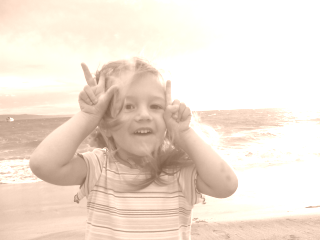
<?php

$image = imagecreatefrompng('nathalie.png');

imagefilter($image, IMG_FILTER_GRAYSCALE);

imagefilter($image, IMG_FILTER_COLORIZE, 100, 70, 50);

imagepng($image, 'sepia_100_70_50.png');

imagedestroy($image);

?>
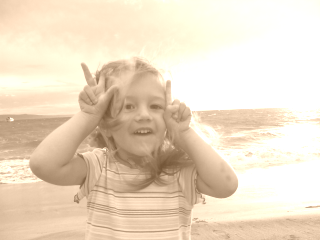
<?php

$image = imagecreatefrompng('nathalie.png');

imagefilter($image, IMG_FILTER_GRAYSCALE);

imagefilter($image, IMG_FILTER_COLORIZE, 90, 60, 30);

imagepng($image, 'sepia_90_60_30.png');

imagedestroy($image);

?>
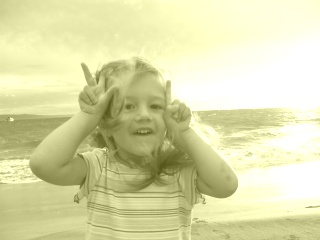
<?php

$image = imagecreatefrompng('nathalie.png');

imagefilter($image, IMG_FILTER_GRAYSCALE);

imagefilter($image, IMG_FILTER_COLORIZE, 60, 60, 0);

imagepng($image, 'sepia_60_60_0.png');

imagedestroy($image);

?>
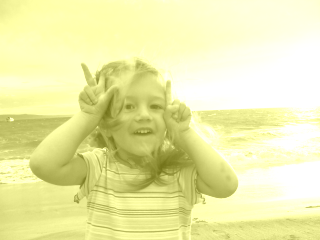
<?php

$image = imagecreatefrompng('nathalie.png');

imagefilter($image, IMG_FILTER_GRAYSCALE);

imagefilter($image, IMG_FILTER_COLORIZE, 90, 90, 0);

imagepng($image, 'sepia_90_90_0.png');

imagedestroy($image);

?>
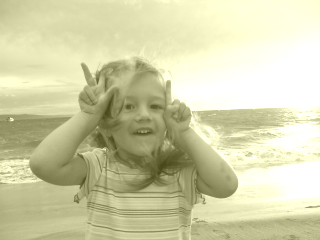
<?php

$image = imagecreatefrompng('nathalie.png');

imagefilter($image, IMG_FILTER_GRAYSCALE);

imagefilter($image, IMG_FILTER_COLORIZE, 45, 45, 0);

imagepng($image, 'sepia_45_45_0.png');

imagedestroy($image);

?>
You can read about the right way to do sepia in Wikipedia, but I'd say that the fakes above look pretty good too.
You can try with different values for R, G and B, but hear this - the thing about sepia is that it's brownish-yellow.
Brown is something that has more red, little blue and the green exactly in between the red and the blue. So brown examples would be (200, 100, 0) or (150, 100, 50).
Yellow on the other hand is equal red and green and no blue, like (255, 255, 0). So if you want more brownish sepia, use the first pattern when calling the colorize filter.
About part one
Part one of the image fun is here, it contains code that more or less does the same things, but pixel by pixel, which is very slow, but also works in PHP4.
At the time of writing part one, imagefilter() funtion was probaly only in cvs, not part of the official PHP. imagefilter() is PHP5-only.
Comments? Find me on BlueSky, Mastodon, LinkedIn, Threads, Twitter




